
Track every opportunity. Trade with confidence.
Know which positions need attention, which are healthy, and what action to take next — all from a single workbook.
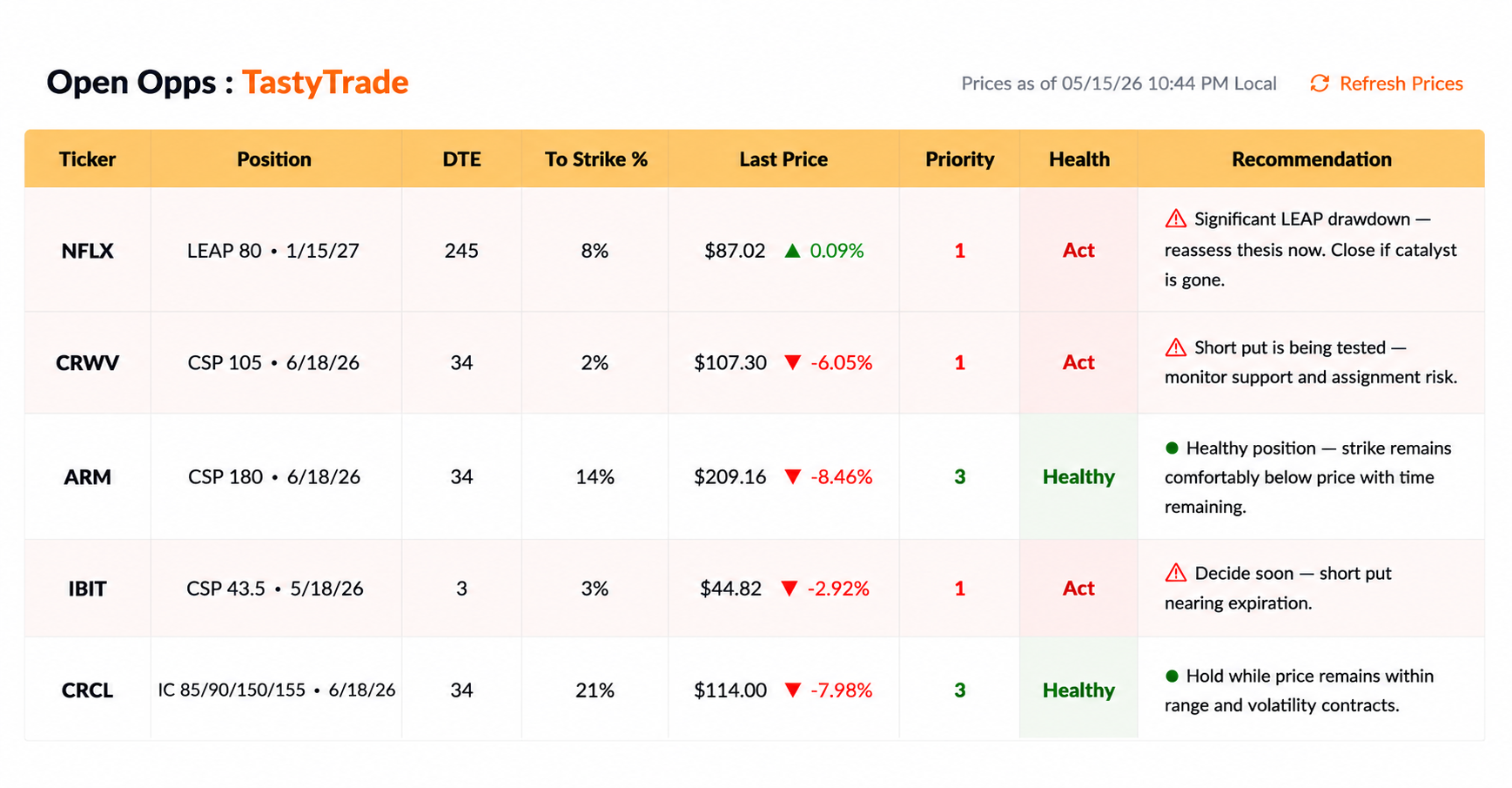
Real-time pricing. Clear priorities. Actionable insights. All in your workbook.
A system you control.
Oppster runs inside your Excel workbook. Your trades, your data, your process — structured into a repeatable system for tracking, reviewing, and improving performance.
Workbook Privacy
Your trades stay in your Excel workbook. You control the file, the data, and the history.
Fast Execution
Log trades, manage positions, and review outcomes without browser lag or API delays.
Performance Tracking
Monitor P/L, win rate, assignment outcomes, and strategy performance in one structured view.
Track what actually matters.
Oppster focuses on execution and review — helping you understand how your trades perform over time.
Trade with structure
Use trade cues and setup logic to plan entries with more consistency.
Manage positions with clarity
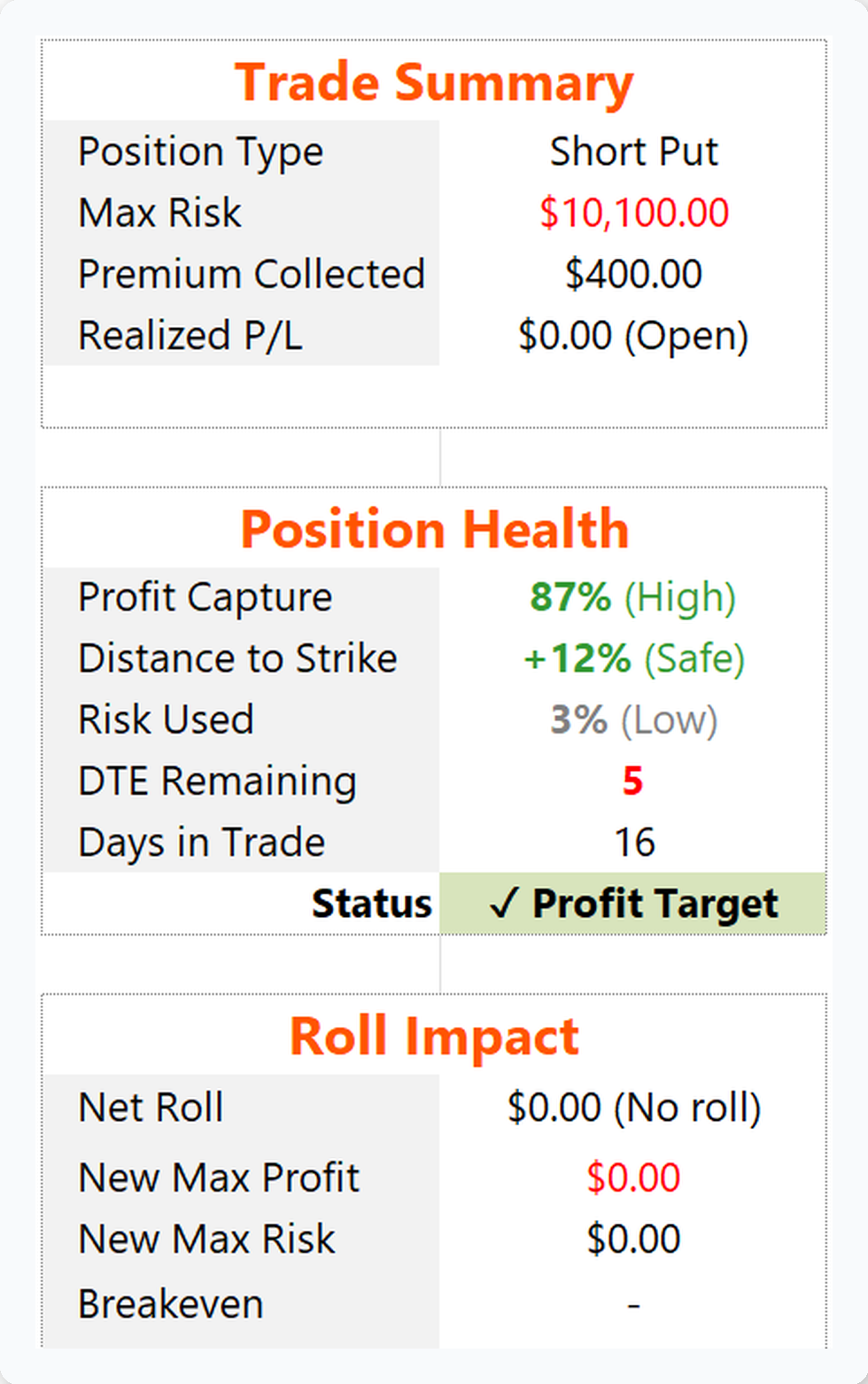
Monitor position health, risk exposure, profit capture, and roll impact in one view.
Record and review
Review historical trades, outcomes, and performance patterns to make better decisions over time.
Close each month with confidence
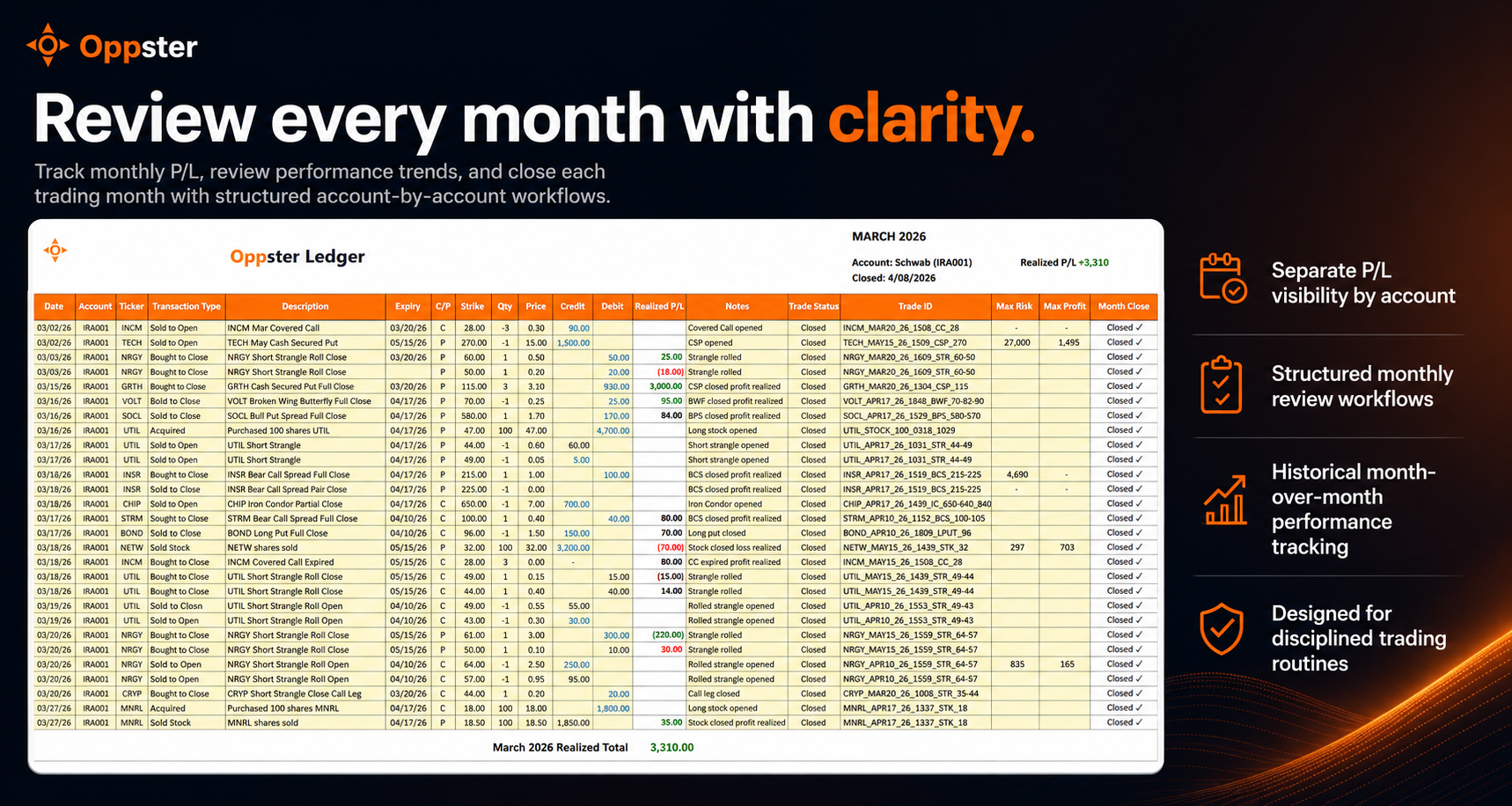
Review account-by-account monthly P/L and performance trends with structured end-of-month workflows.
Monthly Review Workflows
Know exactly what's working — and what isn't, one account at a time.
A clear review process helps you spot patterns, stay accountable, and improve over time.
Simple, transparent pricing.
Choose the level that matches how you trade. Your trade data always stays local in your workbook.
Core
Built for income-focused traders creating structure and consistency in their investing workflow.
- Single-account tracking
- Core income and directional strategies
- Strategy-specific Trade Cues and Trade Gems
- Open Opps prioritization workflow
- Structured trade review workflow
- Monthly account performance review
Pro
For active options traders managing multi-leg strategies across multiple accounts.
- Multi-account tracking (up to 3)
- Expanded options strategy support
- Strategy-specific Trade Cues and Trade Gems
- Position health, roll impact, and risk monitoring
- Advanced Open Opps workflow
- Multi-account monthly review workflows
Premium
For disciplined traders managing advanced options portfolios and household-level investing workflows.
- Advanced multi-account tracking (up to 5)
- Advanced options strategy support
- Enhanced Trade Cues and Open Opps oversight
- Advanced position management and monitoring
- Built for advanced multi-strategy workflows
- Advanced account-by-account performance oversight
Frequently Asked Questions
Do I need to know VBA to use Oppster?
No. Oppster is designed as a workbook-based application. You use buttons, forms, ledgers, and dashboards without needing to write VBA.
What versions of Excel are supported?
Oppster is built for desktop Microsoft Excel with macro support. Excel for the web is not recommended because VBA macros are required.
What happens if I cancel?
Your trade data remains in your workbook. Canceling stops access to paid features at the end of your current billing period, but it does not remove your historical trade records.
Is my trading data secure?
Yes. Your trade data stays in your Excel workbook. Oppster only checks subscription status and does not sync your trade history to our servers.
Can I use Oppster across multiple computers?
Yes. Oppster is designed to support your Microsoft 365 and OneDrive workflow so you can securely access your workbook across your personal devices.
Start trading with structure.
Stop guessing. Track your trades, review your performance, and build a repeatable system.